> For the complete documentation index, see [llms.txt](https://ineos-help.innobasic.com/llms.txt). Markdown versions of documentation pages are available by appending `.md` to page URLs; this page is available as [Markdown](https://ineos-help.innobasic.com/equipment/search-for-an-equipment.md).
# Search for an Equipment
Allows users to search and retrieve information about an Equipment from M-DB.
1. Click on Equipment tab from the left menu.
2. Select the correct department from the top menu. The top menu will display the department(s) that you have access to.
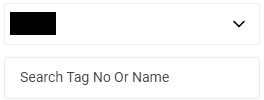
3. Select the correct plant information from the drop down list and input the tag number that you are searching for. You can input a sub-string of the tag number instead of the full tag number, i.e. you can input 111 to locate a tag number D-111. Hit "Enter" to invoke the search.
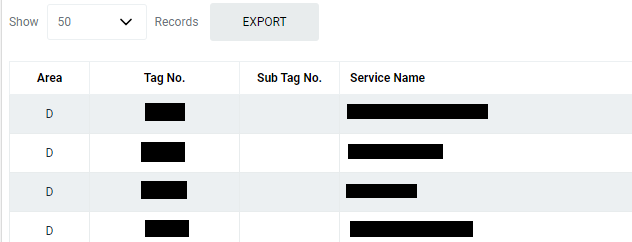
4. All relevant matches will be displayed in the resultant table.
5. You can change the "Show" value to increase/decrease the number of records to display in the table.
6. To export the records shown in the table, click the "EXPORT" button. You should get a csv format file downloaded to your local machine with the relevant record details.